
MIDjourey Guide II
CREATING YOUR FIRST IMAGE
by
virtual Dreaming
Created For Beginners
Designed for visionaries
UNDERSTANDING THE DISCORD INTERFACE
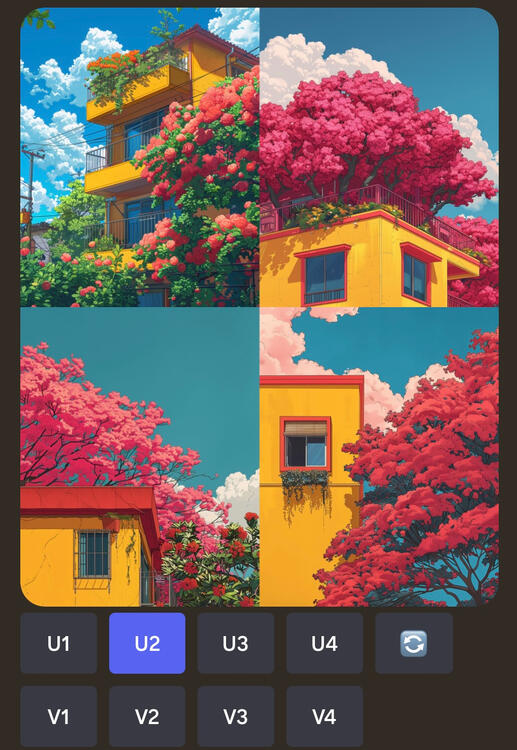
WHEN YOU GENERATE IMAGES, IT WILL GENERATE 4 VARIATION, CREATING A "GRID"
[U1 U2 U3 U4]: SELECTS THE RESPECTIVE IMAGE
[V1 V2 V3 V4]: AUTOMATICALLY APPLIES VARIATIONS TO THE RESPECTIVE IMAGE
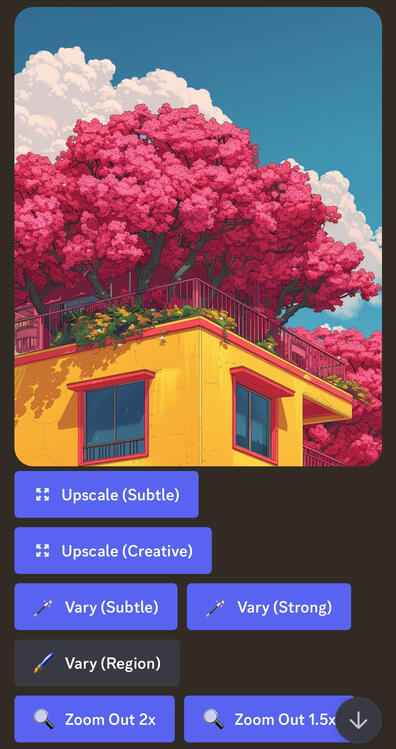
MIDJOURNEY ALLOWS YOU TO ENHANCE THE DETAIL AND QUALITY OF YOUR IMAGES. IT ALSO OFFERS FEATURES LIKE VARYING THE STYLE AND ZOOMING OUT.
UPSCALE (SUBTLE) VS UPSCALE (CREATIVE)
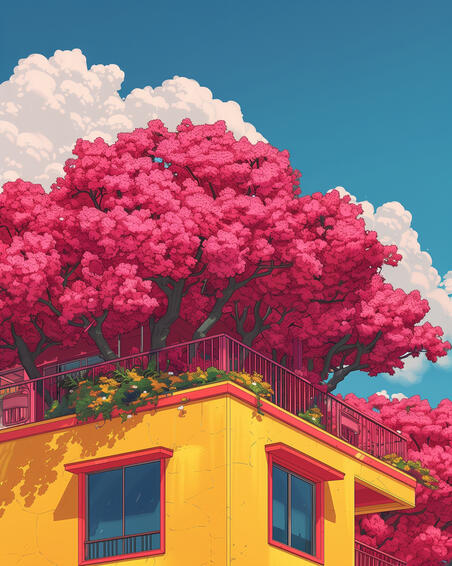
SUBTLE
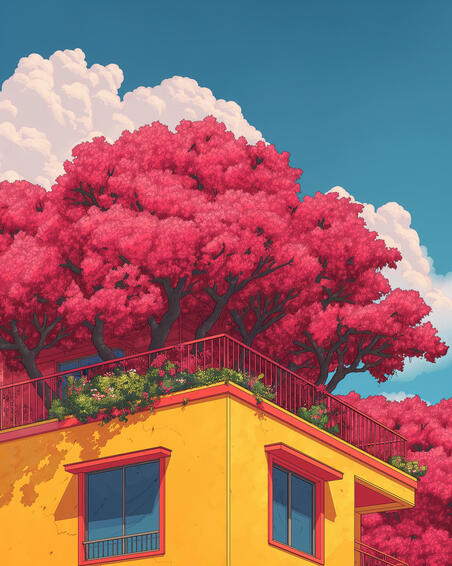
CREATIVE
VARY (SUBTLE) VS VARY (STRONG)
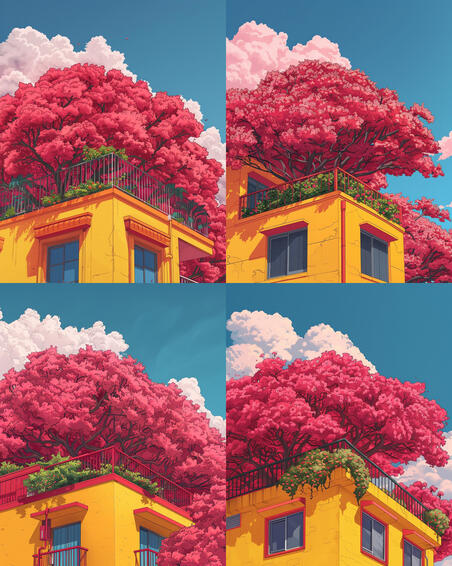
SUBTLE
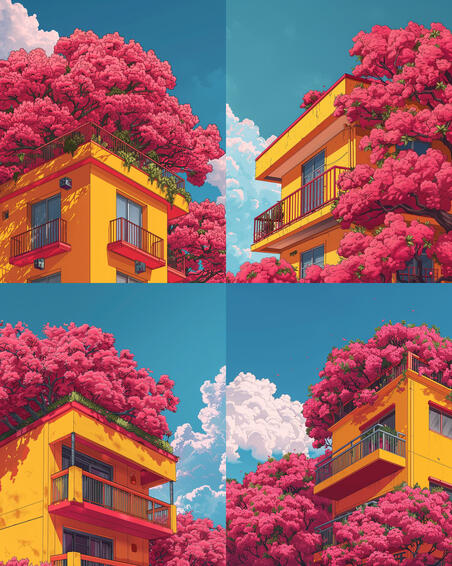
STRONG
ZOOM OUT 1.5x & ZOOM OUT 2x

ZOOM OUT 1.5x
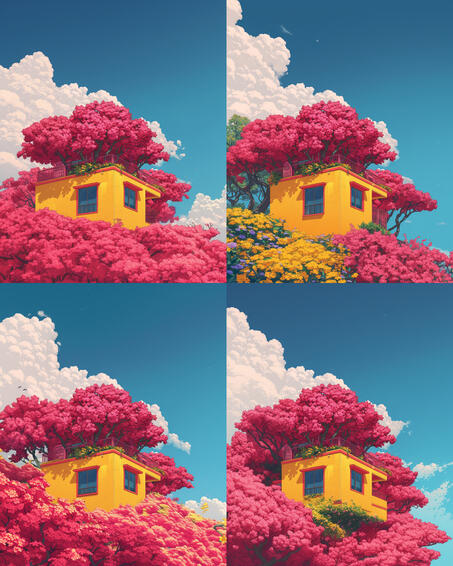
ZOOM OUT 2x
Example Prompts
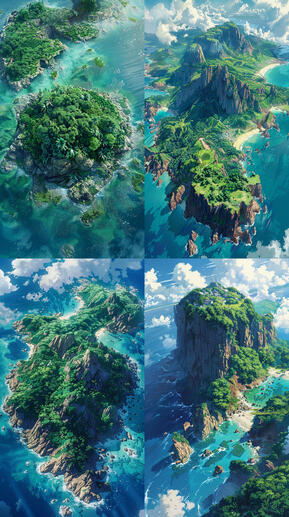
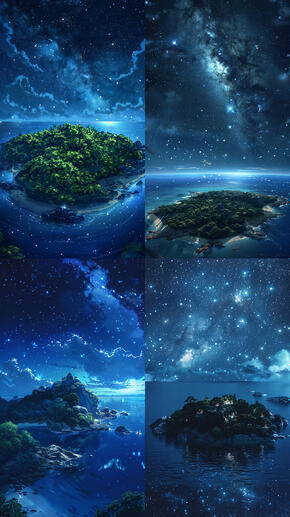
/imagine aerial shot of an island, Profound, mysterious beauty that is beyond what can be expressed in words, in the style of 1990s animation, studio ghibli art style, anime style --ar 9:16 --v 6.0 --s 250
/imagine aerial shot of an island, night time, sky full of stars, Profound, mysterious beauty that is beyond what can be expressed in words, in the style of 1990s animation, studio ghibli art style, anime style --ar 9:16 --v 6.0 --s 250
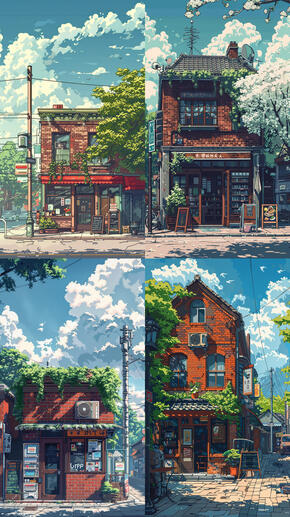
/imagine a brick coffee shop on the side of a street, retro anime style, pixel style, muted pastel tones, detailed skies, sunny day, --ar 9:16 --s 250 --v 6.0
Now that you have a basic understanding of image generation and the various interface features, you can create an endless number of images tailored to your personal preferences
incorporate your favorite styles from a limitless variety of films, art styles, creators, and aesthetics
When creating prompts, you can include a variety of aspects to refine and customize your images, including:[colors, characters, specific objects, textures, viewpoints, elements, time periods, atmosphere/mood, weather, actions]
MIDJOURNEY GUIDE I: GETTING STARTED WITH MIDJOURNEY provides a brief introduction to Midjourney and some of its capabilities. We introduced writing prompts, various parameters, and different styles.
MIDJOURNEY GUIDE II: CREATING YOUR FIRST IMAGE explores additional quality settings and provide more opportunities for experimenting with your images
MIDJOURNEY GUIDE III: DISCOVERING YOUR STYLE explores additional quality settings and provide more opportunities for experimenting with your images
aDDITIONAL TIPS
FOR MORE SPECIFIC TIPS AND HELP, YOU CAN DM ME AT @VIRTUAL.DREAMING ON INSTAGRAM
Copyright © Virtual Dreaming. All rights reserved.